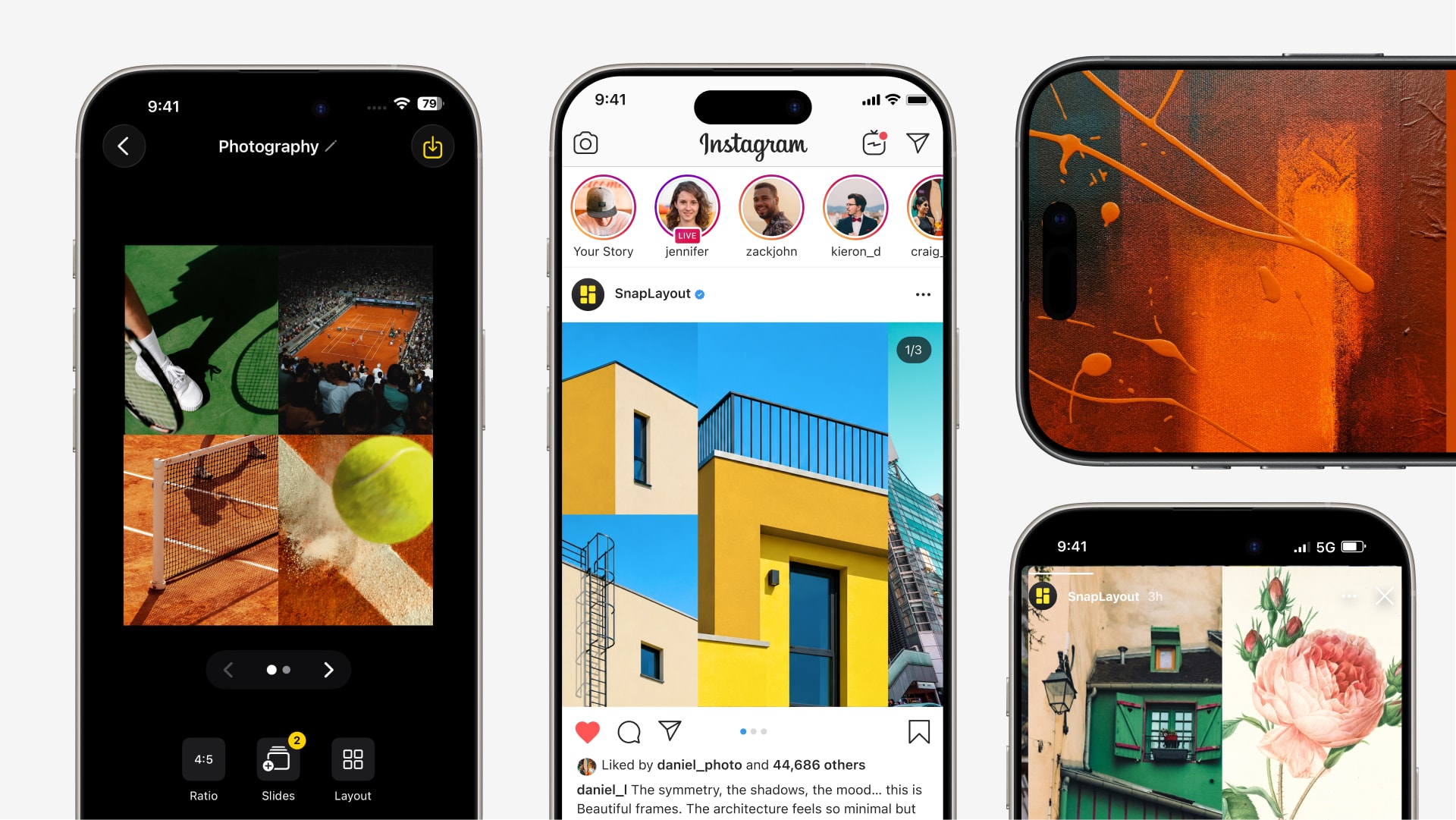
The best photo collage app for iPhone and iPad.

Most collage apps do too much or too little. Here's what actually matters when you're making posts for Instagram, TikTok, and Stories — and what separates a great app from one you delete after a week.

Download on App Store

How it works

Three steps from app to posted.

1

Pick your platform and format

Select a preset for where you're posting — Instagram, TikTok, Pinterest, YouTube, or custom. SnapLayout sets the correct canvas size automatically, so you never have to look up pixel dimensions.

2

Choose a grid and add your photos

Browse the layout library and tap the arrangement you want. Tap each cell to assign a photo from your camera roll. Pinch to adjust the crop inside each cell.

3

Export at full resolution

Tap Export. With a premium subscription, your collage saves to your camera roll at full resolution — clean and ready to post.

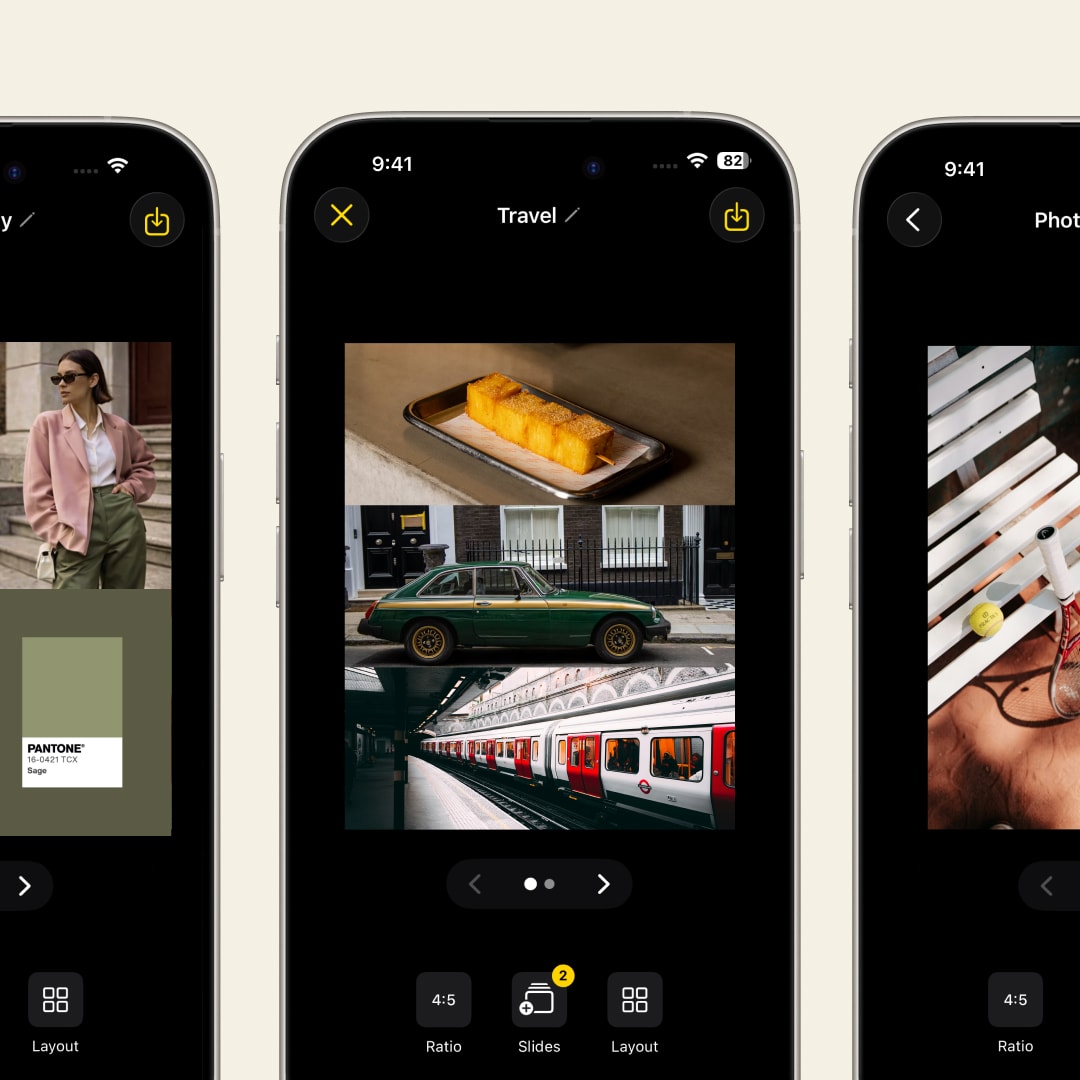
Grid and collage layout options in SnapLayout — the best collage app for iPhone

What actually matters

Five things the best collage app for Apple devices gets right.

After testing dozens of collage apps, the same five factors separate the ones people actually keep from the ones that get deleted.

  • Knows the right export size for every platform
  • Works fully offline — no uploads, no account
  • Never adds a watermark to your exports
  • Carousel posts with up to 20 slides
  • From open to exported in under two minutes
SnapLayout — fast, clean collage app built to stay out of your way on iPhone

Why SnapLayout

Built for speed. Designed to stay out of your way.

SnapLayout was built around one idea: the fastest path from photos to posted. No layers, no learning curve. You open it, pick a layout, add photos, and export.

  • Format presets for every major platform
  • Up to 20 slides for Instagram carousels
  • 100% on-device — no uploads or account
  • Clean layouts that look good without tweaking
Photo collage finished and ready to post in SnapLayout in under a minute

Speed is the feature

The best collage app is the one you actually finish posts in.

The best collage app isn't the one with the most features — it's the one you reliably use. SnapLayout is built around a 60-second workflow. No layers, no menus to dig through, no tutorial required. Open it, make your collage, export it.

  • Average time from open to export: under 2 minutes
  • No account, no sign-up, no email required
  • Works completely offline — nothing uploaded
  • No learning curve — intuitive from the first tap

FAQ

Frequently asked questions

SnapLayout is free to download and lets you design photo collages with all layout and editing tools included. Exporting requires a premium subscription. For a fully free experience, the built-in iPhone Photos app supports basic collages, but without platform-specific format presets.
Canva is a full design platform built for everything from presentations to social media. SnapLayout is built specifically for photo collages and social media post sizing. If you want a quick, photo-focused collage without learning a design tool, SnapLayout is faster and simpler.
SnapLayout works completely offline — no internet connection required for design or export. All editing happens on your device — your photos never leave it.
SnapLayout supports carousel posts with up to 20 slides, all designed in one session and exported together. This makes it the strongest option for creators who build multi-slide carousel content.
No. SnapLayout never adds a watermark to your exports. All collages export clean and unbranded. A premium subscription is required to unlock exporting.
SnapLayout requires iOS 16 or later, which is supported on iPhone 8 or later. It works on all current iPhone models and iPads running iOS 16+.
Yes. SnapLayout requires no account, no sign-in, and no email address. Download the app and start designing immediately — nothing to set up.
The Photos app creates automatic memory collages but doesn't let you choose layouts, control canvas sizes, or export in platform-specific formats. SnapLayout gives you full control over the layout, format, and export quality.
Yes. SnapLayout runs on iPhone and iPad with iOS 16 or later. The interface adapts to the larger iPad screen for comfortable use on any Apple device.

"I've tested most of the collage apps on the App Store for client work. SnapLayout is the one I keep coming back to — it does what it says, the exports are clean, and nothing about it gets in the way."

T
Tom V.
Social Media Manager

"I've downloaded and deleted a lot of collage apps. This is the one that actually stayed on my phone. I can use it offline on the plane and it doesn't make me log in or watch an ad first."

R
Rachel P.
Travel Blogger

"Most collage apps feel like they're designed to upsell you on something. SnapLayout just lets you make a collage. Simple, fast, and the result looks good every time."

J
Jake O.
Content Creator

Try the collage app people actually keep.

Download SnapLayout on the App Store — free to try, fast to love.

Download on App Store