TikTok Collage Maker for iPhone and iPad.

Create vertical photo collages in 9:16 format — the exact size TikTok wants. Pick a layout, add your photos, export, and post.

Download on App Store

How it works

Three steps from app to posted.

1

Tap the TikTok preset

Open SnapLayout and select the TikTok format. Your canvas is set to 1080 × 1920 px automatically — no pixel math, no manual configuration needed.

2

Pick a vertical layout and add photos

Browse the layout library and choose a grid that works in the tall 9:16 canvas. Tap each cell and select photos from your camera roll. Pinch to reposition each crop.

3

Export and post to TikTok

Tap Export. Your collage saves to your camera roll at full resolution. Open TikTok, create a photo post, and select your image.
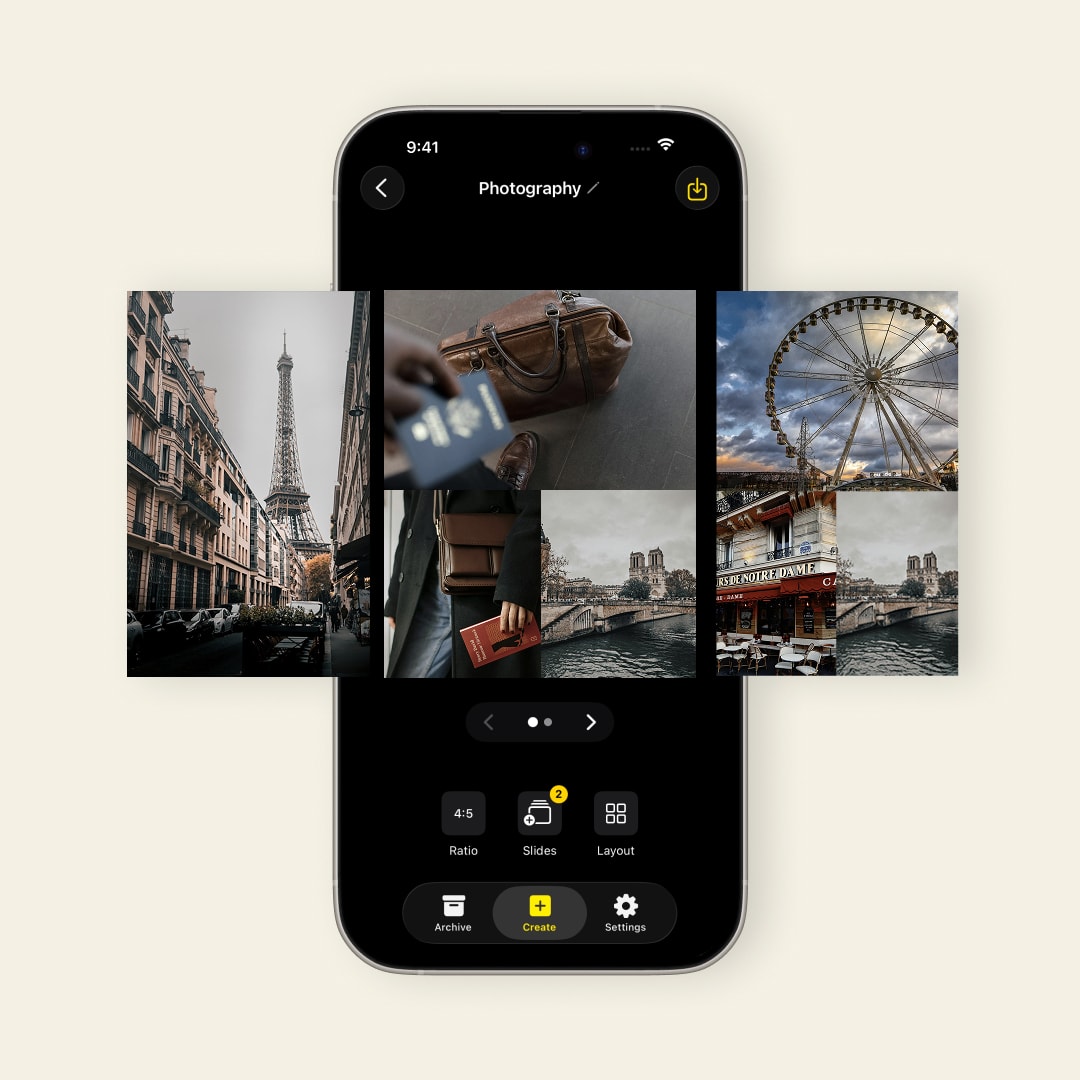
TikTok 9:16 vertical format preset in SnapLayout — no manual setup needed

Built for vertical

9:16 format built in. No manual setup.

TikTok is a vertical platform — 1080 × 1920 px. SnapLayout has the TikTok preset built in so you tap once and your canvas is the right size. No guessing, no pixel math.

  • TikTok 9:16 preset (1080 × 1920 px)
  • Vertical grid layouts designed for tall canvases
  • Add 1–6 photos in one collage
  • Export directly to camera roll
SnapLayout working fully offline — TikTok collage created without internet or account

Offline and private

Your TikTok content stays on your Apple device.

SnapLayout doesn't upload your photos anywhere. All editing happens on your device — which means no waiting, no account required, and no data being sent to a server.

  • 100% on-device editing
  • No account or login needed
  • Works without internet connection
  • Photos never leave your device
One 9:16 vertical collage format used across TikTok, Reels, Shorts and Snapchat

One format, every vertical platform

9:16 works everywhere vertical content lives.

The 9:16 format isn't exclusive to TikTok. The same canvas is correct for Instagram Reels, Instagram Stories, YouTube Shorts, and Snapchat. Design once in SnapLayout and your content is sized right for every vertical platform you post on.

  • TikTok photo posts (9:16)
  • Instagram Reels and Stories (9:16)
  • YouTube Shorts (9:16)
  • Snapchat (9:16)

FAQ

Frequently asked questions

TikTok uses a 9:16 vertical format at 1080 × 1920 px. SnapLayout includes a TikTok preset that sets this automatically — you don't need to configure the canvas manually.
It depends on the grid layout you choose. SnapLayout offers layouts for 1–6 photos in a single frame. Choose a layout with fewer, larger cells for a bold look, or more cells for a multi-photo grid.
Yes. Create your collage in SnapLayout, export it to your camera roll, then upload it to TikTok as a photo post. TikTok photo posts support up to 35 images — you can use SnapLayout to design each one.
No. SnapLayout never adds a watermark to your exports. All TikTok collages export clean and unbranded. A premium subscription is required to unlock exporting.
Yes. The 9:16 format works for Instagram Reels and Stories, YouTube Shorts, and Snapchat as well — not just TikTok.
Yes. Create each photo in SnapLayout, export them to your camera roll, and upload them as a TikTok photo post. TikTok supports up to 35 images per post.
A TikTok photo post is a swipeable slideshow of still images — viewers tap through them like an Instagram carousel. SnapLayout creates the individual photos; TikTok handles the slideshow playback and music.
Yes. Export your 9:16 collage and use it as an Instagram Reels cover photo. The dimensions are identical.

"I post on TikTok daily and photo collages break up the video content really well. The 9:16 format is built in so there's zero setup — I just pick photos and go."

T
Tyler J.
Content Creator

"I was using a different app for my recipe step collages and it kept cropping things in the wrong place. SnapLayout lets me position each photo exactly where I want it."

M
Maya R.
Recipe Creator

"The vertical format works perfectly for TikTok and Reels at the same time. I export once and it's the right size for both platforms — that alone saves me so much time."

J
Jordan K.
Fitness Influencer

Create your next TikTok post in under a minute.

Download SnapLayout and design vertical photo collages perfectly sized for TikTok — right on your Apple device.

Download on App Store